Thursday, September 22, 2005

New desktop and Freeware

Well, I'd say my new desktop is finished.
I've been working on building it most of the summer, and I'm pretty happy with how it turned out:
  • AMD Athlon 64 3400+
  • 1 GB DDR Memory (2 x 512, cheaper and failsafe)
  • Chaintech GeForce 6600 w/ 256 MB
  • 250 GB SATA drive
  • DVD ± RW/CD-RW drive
  • Plain ol' CD drive
  • An old Seagate tape drive (and a few tapes) that my dad gave me. :-P
  • A really sweet case (got a 550w PSU for $12.99 extra!)
  • Windows XP w/ SP2 ;-)
I just got Win XP a few weeks ago, got it installed, and thanks to SP2, it detected my 250 GB drive correctly! Apparently, XP pre-SP1 and Win2K pre-SP2 don't detect drives over 137 GB. So I now have a 150 GB main partition (for XP) and I think I'm gonna put slamd64 (an unofficial port of slackware for AMD 64 processors) on a secondary partition. As always, after I get my OS installed, I start installing my favorite freeware apps. I thought I'd list my top 10 here:

  1. Firefox. Oh yeah.
  2. Thunderbird. Again, oh yeah.
  3. Gaim, the best (only?) multi-protocol, multi-platform instant messaging program.
  4. VirtuaWin is a free, small (~300 KB for the installer) virtual desktop manager that's packed full of features, including mouse-switching of desktops (move your mouse to one edge of the screen, and you go to that next desktop. You can also drag wiindows to the other desktops with this.)
  5. HT Fireman is a free CD/DVD burning program, that is really quite sweet. It has a very simple to use layout, you can drag and drop files right from explorer, and can burn almost anything, MP3's, misc. data, ISO's, etc.
  6. NotePad+ is a replacement for notepad that has just a FEW more featurs than notepad.... ;-) It can have multiple windows open inside the main one, it displays line/column numbers in the status bar, etc.
  7. Uxtheme.dll patcher to allow the use of non-Microsoft signed skins in Windows XP. Some good places to get skins are here, here, and a few here.
  8. OpenOffice is a good open source replacement for Microsoft Office. (I don't currently have it installed on this machine, need to download the newest version...)
  9. Dimension4 can synchronize your pc clock to an atomic clock of your choice
  10. Clipomatic. I had searched for somthing like this many times before, and could never find anything quite right. (free) All you do is hit ctrl+alt+v, and it pops up a menu containing a cache of things you've copied recently. (the default number is 10) It is extremely handy, especially for programmers.
Well, that's all for now folks!

Coworkers...

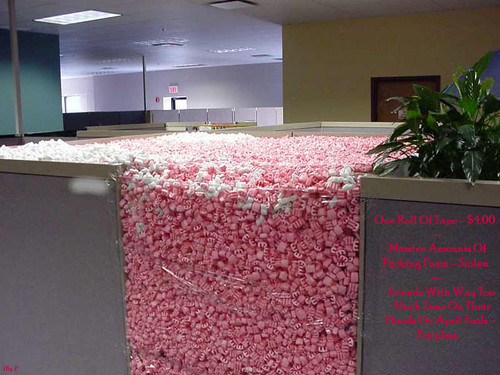
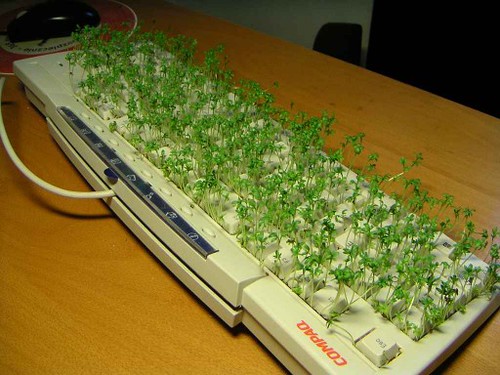
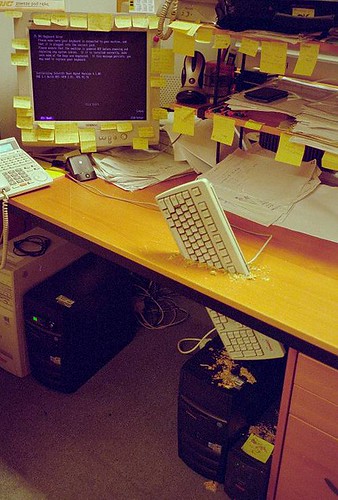
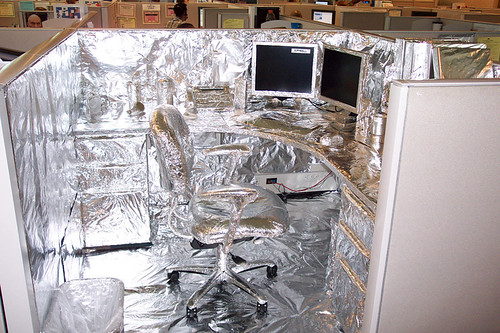
Some coworkers have too much time on their hands....:

pic29033sm

pic23487sm

pic20135sm

pic13262sm

pic12935sm

pic02088sm

ps. I might have just copy/pasted the html for all of these picture links from Info Nation... but you can't prove it! :-P''''

Tuesday, September 20, 2005

Dumb laws...

Ok, I'm probably posting stuff that everyone's seen before... but WHO CARES? :-)

DumbLaws.com is a very complete, very organized collection of weird and just downright stupid laws. (And they're not just US laws either)

LawGuru.com doesn't have as many, but all the states are laid out in one page, so it's easier to read them.

Some funny ones:
  • In Elkhart, Indiana, it's illegal for barbers to threaten to cut off kid's ears.
  • In South Bend, Indiana, it's illegal to make a monkey smoke a cigarette.
  • In Louisiana, it is illegal to rob a bank and then shoot at the bank teller with a water pistol.
  • In Florida, you may not fart in a public place after 6 P.M. on Thursdays.
Wow. And remember, these are just some of my favorites. There are alot more at those sites.

Tuesday, September 13, 2005

Sidewalk Chalk Art

Alright, I'm finally gonna post here... :-P

I found this one on Info Nation (my uncle's blog.)
3-D looking sidewalk chalk art. Wow.
Do note however, that these drawings can't be viewed correctly from many angles at all except the one that the picture is taken from - the last two pictures demonstrate this.

Another funny image, Internet Explorer Security Settings. Aahhh... so true. This is from the same guy that's made portable (USB key-friendly) versions of Firefox, and Thunderbird.

ps. I hope I'll be posting more often... ;-)